Travel Apps for Every Trip in 2026: Your Smartest Phone Setup
A missed platform in Milan, a menu written only in Japanese, a card terminal in Mexico City that declines your home bank, a hotel down a lane your taxi app cannot quite pin: modern travel rarely falls apart in dramatic ways. It unravels in tiny moments that cost time, money, and patience. That is exactly why the right travel apps for every trip matter more than a fancier suitcase or a newer passport cover. A smart phone setup now does what guidebooks, printouts, and frantic reception-desk questions used to do.
The best part is that you do not need fifty downloads cluttering your home screen. You need a tight, dependable stack that handles navigation, language, payments, communication, booking, and the fragile first hours after landing when your brain is still half in yesterday. The strongest travel apps for every trip are not the flashiest ones. They are the ones that keep working when you are jet-lagged, hungry, a little damp from unexpected rain, and standing under fluorescent airport lights with 12 percent battery.
I have learned, trip after trip, that the difference between a smooth arrival and a stressful one is often decided before you even leave home. If you want a calm landing, cleaner logistics, and fewer expensive mistakes, build your phone with intention.
Why your phone now belongs on the packing list

Photo by Christian Lue on Unsplash
Once, travel planning lived in folders: printed hotel confirmations, a folded city map, train timetables highlighted in yellow, emergency cash in a hidden pouch. Today, all of that has collapsed into one palm-sized object that glows in the dark on your airplane tray table. Your phone is your boarding pass, backup map, phrasebook, metro guide, translator, bank branch, and safety net. Treating it like an afterthought is one of the easiest ways to make a trip harder than it needs to be.
That does not mean downloading every shiny new platform advertised as essential. In fact, too many apps create a different kind of chaos: duplicate bookings, scattered screenshots, forgotten logins, and that familiar pre-trip feeling of digital clutter. The goal is not more. The goal is fit. The most useful travel apps for every trip solve a specific friction point clearly and fast.
Think of your phone as part of your carry-on system. Just as you pack layers, chargers, and a pen in places you can actually reach, your digital setup should be organized by what you are most likely to need under pressure. Maps belong ready for offline use. Payment tools should be tested before departure. Translation apps should have language packs downloaded, not merely bookmarked. If you are already refining your physical setup, Carry On Packing Strategy for 2026: The Wear-Wash-Repeat Plan pairs surprisingly well with a lean digital kit.
Before I leave for any international trip, I check four things first: connectivity, money, movement, and communication. If those work, almost everything else becomes easier. That is where the best travel planning apps quietly earn their place.
Here is the simple rule: if an app only helps in a perfect scenario, it is not essential. The real winners are the ones that help in the sticky, ordinary moments: when you lose signal in a stone alley, when your flight gate changes, when the restaurant menu has no English, when you need the last train, when a market stall only takes cash, when your taxi driver calls and you need to answer quickly.
The core travel apps for every trip
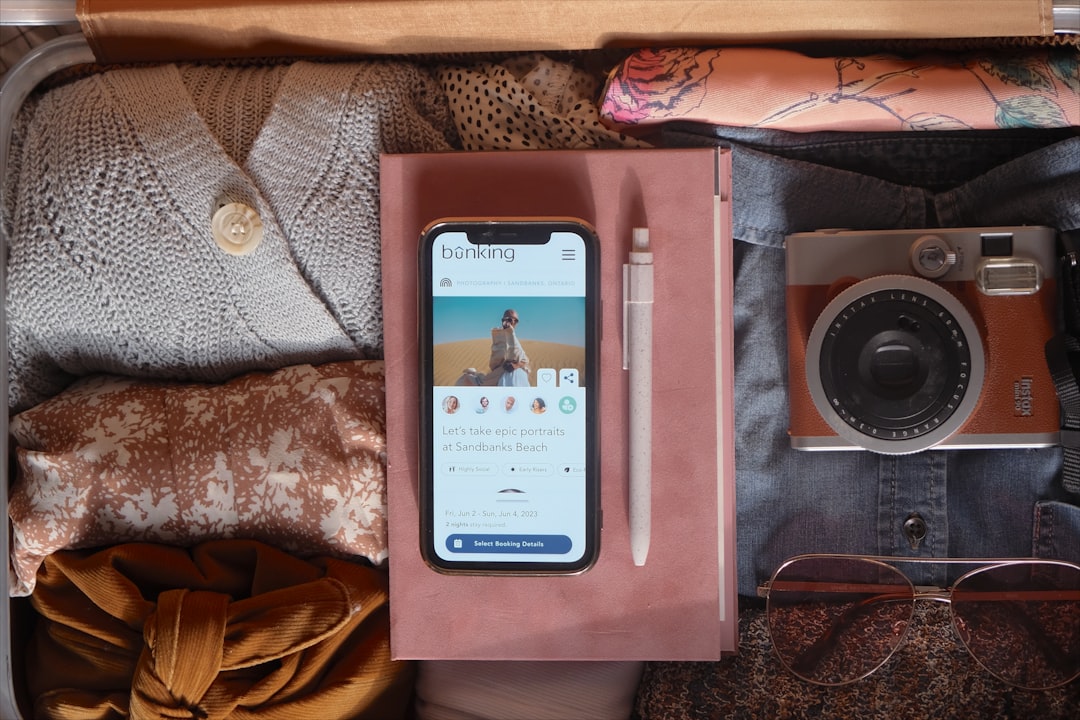
Photo by Paige Cody on Unsplash
The strongest travel apps for every trip cover ten needs: maps, language, bookings, transport planning, money, itinerary organization, connectivity, messaging, city movement, and weather awareness. You can swap brands based on where you travel most, but the categories themselves rarely change.
Below is the core stack I recommend building before almost any journey, whether you are heading for a long weekend in Lisbon, a rail-heavy loop through Japan, or a month of moving between capitals, coastlines, and night buses. These are not trendy downloads for travel fantasy. They are practical tools for real arrivals, real delays, real menus, and real streets.
1. Google Maps for orientation, pins, and offline maps for travel
Every city feels different in your body before it makes sense in your head. You step out of a station and hear rolling suitcases over stone, bus brakes hissing, espresso cups clinking, scooters whining through an intersection, and the whole place seems to move in a rhythm you do not yet know. In that first sensory rush, Google Maps remains one of the simplest travel apps for every trip because it turns a vague address into a sequence of manageable steps.
The real power is not just navigation. It is prep. Save your hotel, airport, train station, embassy, pharmacy, laundromat, and a few restaurants before you go. Download offline maps for travel while you still have reliable Wi-Fi. Label places with human logic, not travel-diary logic: hotel, late-night food, backup ATM, nearest metro. When you land tired, clarity matters more than elegance.
Use it best by doing this before departure:
- Download the offline area for your arrival city and at least one surrounding region.
- Save your accommodation, first meal stop, and nearest public transport hub.
- Screenshot your hotel address in the local script if available.
- Check walking routes at night as well as daytime transport options.
- Pin supermarkets and pharmacies near where you are staying.
For official access points, start at Google Maps. Among all the travel apps for every trip, this is the one I trust most when I have no signal, low patience, and one hand busy dragging a bag over bad pavement.
2. Google Translate for signs, menus, and translation apps for travelers
There is a specific kind of relief that comes when your camera hovers over a menu and suddenly a forest of unfamiliar characters becomes grilled mackerel, pork dumplings, peanut sauce, or spicy offal stew. Language is one of the most beautiful parts of travel, but confusion is rarely romantic when you are trying to confirm an allergy, understand a station notice, or figure out whether that packet in the convenience store is seaweed snacks or laundry detergent.
That is why translation apps for travelers belong near the top of the list. Google Translate is not perfect, and in nuanced conversations it can flatten tone and local expression. But for menus, signs, short messages, and quick voice exchanges, it is fast enough to remove friction. Download languages offline before you leave. Test the camera function at home. Save a few essential phrases in your notes as backup: no peanuts, where is platform 4, I need a pharmacy, can I pay by card.
Most useful features:
- Camera translation for menus, labels, and station signage.
- Offline language packs for when airport Wi-Fi fails.
- Voice mode for short conversations with drivers or shop staff.
- Typed translation for allergy cards and hotel messages.
- Phrasebook saving for repeated needs.
If you travel frequently in East Asia, some people prefer regional options for nuance, but as a universal baseline Google Translate still earns its place among travel apps for every trip. And if food is high on your priority list, pair it with the practical advice in How to Eat Safely Abroad in 2026 Without Missing Local Food.
3. Official airline and rail apps for the moving parts you cannot improvise
The most glamorous travel content in the world cannot help you when your gate changes, your seat assignment disappears, or a strike disrupts a route two hours before departure. This is where official transport apps matter. Your airline app is not exciting, but it is often the first place delays, rebooking options, baggage status, and digital boarding passes appear. The same goes for rail operators, especially in countries where platforms, seat reservations, and train composition details can change in real time.
Travelers often underestimate how much stress these apps remove. They are not just for check-in. They are for noticing small schedule shifts before they become missed connections. In Europe, rail apps from operators like SNCF, Trenitalia, DB, and Renfe can save you from sprinting through stations with no idea which carriage you need. In Japan, official rail information and reservation tools turn intimidatingly precise systems into something more readable. In the United States, airline apps are often faster than airport announcement boards when weather rolls in.
Before you fly or ride:
- Download the airline app for every carrier on your itinerary, including low-cost segments.
- Add your booking manually if it does not appear automatically.
- Save boarding passes to your wallet and also keep screenshots.
- Turn on notifications for gate, delay, and baggage updates.
- For rail-heavy trips, install the national rail operator app as well as your map app.
This category is less glamorous than the best travel planning apps, but it quietly saves entire days. If airports are your personal stress test, Airport Hacks That Save Money and Time in 2026 Like a Pro is worth reading alongside your app setup.
4. Rome2Rio for the spaces between obvious places
Flights are easy to imagine. Big stations are easy to imagine. What catches people out are the gaps between them: how to reach the ferry port from the airport, whether a bus actually connects to the night train, how long a border crossing takes when the direct route on the map is not the practical route on the ground. Rome2Rio is one of the best travel planning apps because it answers a question almost every traveler eventually asks: how do I actually get from here to there without opening fifteen tabs?
Its greatest value appears in the messy middle of a trip. Maybe you are going from Naples to the Amalfi Coast, from Chiang Mai to Pai, from central Tokyo to a smaller regional airport, or from Dubrovnik to Kotor where ferry, bus, and taxi options all compete. Rome2Rio is not the final word on schedules, but it is an excellent route sketcher. It shows you the shape of a journey fast, with enough clarity to make smarter decisions before you buy anything.
Use it for:
- Comparing bus, train, ferry, taxi, and flight combinations.
- Estimating durations between remote destinations.
- Checking whether an early-morning departure is realistic from your hotel area.
- Understanding where a transfer actually happens.
- Planning multi-stop itineraries without guesswork.
The official site is Rome2Rio. Among travel apps for every trip, this is the one I reach for when the route is not obvious and local geography starts to matter more than distance.
5. Wise for spending abroad and travel budget apps that reduce friction
Money problems feel larger abroad because they multiply. A bad exchange rate becomes a more expensive taxi, then a pricier dinner, then a smaller buffer for the rest of the trip. Traditional bank cards often hide their pain in the spread, not the fee. That is why travel budget apps deserve a permanent place in your setup, especially if you move between currencies often.
Wise is useful because it makes money feel legible again. You can hold multiple currencies, convert at competitive rates, transfer money between accounts, and spend abroad without the old mystery of what your bank will decide later. It will not replace every local cash need, but it can sharply reduce the fog around foreign transactions. Even travelers who keep a primary card elsewhere often use Wise as a backup spending system.
Helpful habits:
- Load the card or account before departure, not in the airport line.
- Keep a second payment method separate from it.
- Track your spending by city, not just by trip.
- Use ATMs from major banks and decline dynamic currency conversion.
- Pair it with other travel budget apps if you split costs with friends.
You can check current features at Wise. If you are building a clean, realistic money system, this belongs on the shortlist of travel apps for every trip, especially for multi-country routes and longer journeys.
6. TravelDeck for turning bookings into a usable plan
The most annoying part of modern travel is not lack of information. It is having too much of it in the wrong places. Flight details sit in email, train tickets in a wallet app, restaurant ideas in saved posts, museum hours in browser tabs, and the address of your apartment in a message thread you cannot find when the taxi is waiting. That fragmentation is exactly where TravelDeck fits.
Instead of acting like one more isolated booking layer, it helps organize the moving parts of a trip into something you can actually use while traveling. If the best travel planning apps are the ones that reduce mental switching, this is the category that matters most: one place to keep the shape of the journey visible when you are in motion. I especially like tools in this class for multi-stop trips, travel with relatives who want a clear daily plan, and itineraries where flights, train rides, and restaurant reservations all stack tightly.
Why it earns a place in a real travel setup:
- It keeps itinerary details easier to read at a glance.
- It reduces the scramble between apps during transit days.
- It helps you turn saved ideas into a route that makes geographic sense.
- It is useful when a trip involves several cities, travelers, or reservation types.
Travel apps for every trip should make the whole journey feel more coherent, not simply add more buttons to press. This category does exactly that.
7. Airalo or another eSIM for international travel
Landing without data used to be part of the adventure. Now it mostly feels like standing still while everyone around you moves with purpose. You need signal for maps, banking alerts, hotel messages, ride-hailing, translation, and emergency contact. An eSIM for international travel removes one of the oldest first-day hassles: hunting for a physical SIM counter while tired and overcharged roaming ticks quietly in the background.
Airalo is widely useful because setup is generally straightforward and regional plans make sense for travelers crossing borders. For a short city break, a small package can be enough if you rely on hotel Wi-Fi. For a two-week trip with constant maps, messaging, and photo uploads, you will want more room. Typical starter plans often begin around a few dollars for low data amounts, while regional packages climb into the teens or twenties depending on coverage and validity.
Before you rely on any eSIM for international travel:
- Confirm your phone is unlocked and eSIM compatible.
- Install and activate before departure whenever possible.
- Keep your primary SIM settings written down in case you need to switch back.
- Turn off background app refresh for nonessential apps.
- Download offline maps for travel anyway, because coverage is never universal.
Check details at Airalo. This is one of the travel apps for every trip that feels optional until the exact second you need to find your bus stop outside a terminal with no free Wi-Fi.
8. WhatsApp for the human layer of travel
Not every travel problem is a map problem. Sometimes it is a person problem: the guesthouse host sending check-in instructions, the driver asking where to meet, the guide sharing a pickup time, the friend in another time zone confirming the dinner reservation, the family member at home wanting to know you landed safely. In huge parts of the world, WhatsApp is simply how this communication happens.
It may not feel like an exotic travel tool, but its practical value is enormous. Hotels use it. apartment hosts use it. Drivers use it. Tour operators use it. Restaurants in some cities use it for bookings. If your regular messaging habit is tied to your home market, you can be caught off guard by how often a simple green chat bubble becomes the most efficient bridge between you and the people making your trip function.
Set it up well:
- Add a clear profile photo so hosts and drivers recognize you.
- Save key contacts before you leave the airport Wi-Fi zone.
- Turn on cloud backup for important chats.
- Share live location cautiously and only when helpful.
- Keep emergency contacts pinned.
For many travelers, this is one of the travel apps for every trip that earns its value without ever feeling glamorous. It is just quietly everywhere.
9. Citymapper or a strong local transit app for urban movement
There are cities where walking feels intuitive within minutes. Then there are cities where the transit system looks like a bowl of luminous noodles and every platform seems to lead somewhere similar but not identical. For dense urban travel, a dedicated transit app can outperform general maps in clarity, especially for exits, line colors, live delays, and the small timing differences that decide whether you make your reservation or arrive sweaty and late.
Citymapper is excellent where supported, especially in large transit-heavy cities. In places where it is not available, the local transit app can be even better. TfL Go in London, BVG apps in Berlin, RATP tools in Paris, and city-specific metro platforms across Asia often provide cleaner local detail than generic navigation alone. This category deserves a spot among travel apps for every trip if your style of travel is city-first and subway-heavy.
Look for these features:
- Live departure boards and disruption alerts.
- Exit recommendations for large stations.
- Fare caps or ticketing integration where available.
- Step-free routing if accessibility matters.
- Real-time bus movement at night.
These are not always the flashiest best travel planning apps, but in cities they can be the difference between flowing with local rhythm and constantly arriving one transfer too late.
10. A reliable weather app for the decisions that shape each day
Weather sounds basic until you are climbing temple steps in humid heat, crossing a windy bridge in Porto, timing a beach ferry, or deciding whether that mountain viewpoint is worth the early alarm. A reliable weather app influences what you wear, when you leave, whether you carry water, and how long your phone battery survives in cold air. It also helps you decide which day is best for the long outdoor activity and which day should be museum day.
I do not care much which brand you prefer here as long as it is accurate for your destination and easy to check quickly. Some travelers like the clean simplicity of default phone weather tools. Others want radar, wind, rain timing, or air-quality detail from apps like Windy or AccuWeather. What matters is checking it as part of the real rhythm of the trip, not only the night before departure.
Use weather data for:
- Battery planning in extreme cold or heat.
- Choosing the best sightseeing windows.
- Avoiding stormy ferry crossings where alternatives exist.
- Protecting electronics in wet season destinations.
- Packing layers more precisely.
It may be the least romantic item in this list, but practical travel is often built from unromantic decisions. That is why it still belongs among travel apps for every trip.
A smart baseline stack at a glance
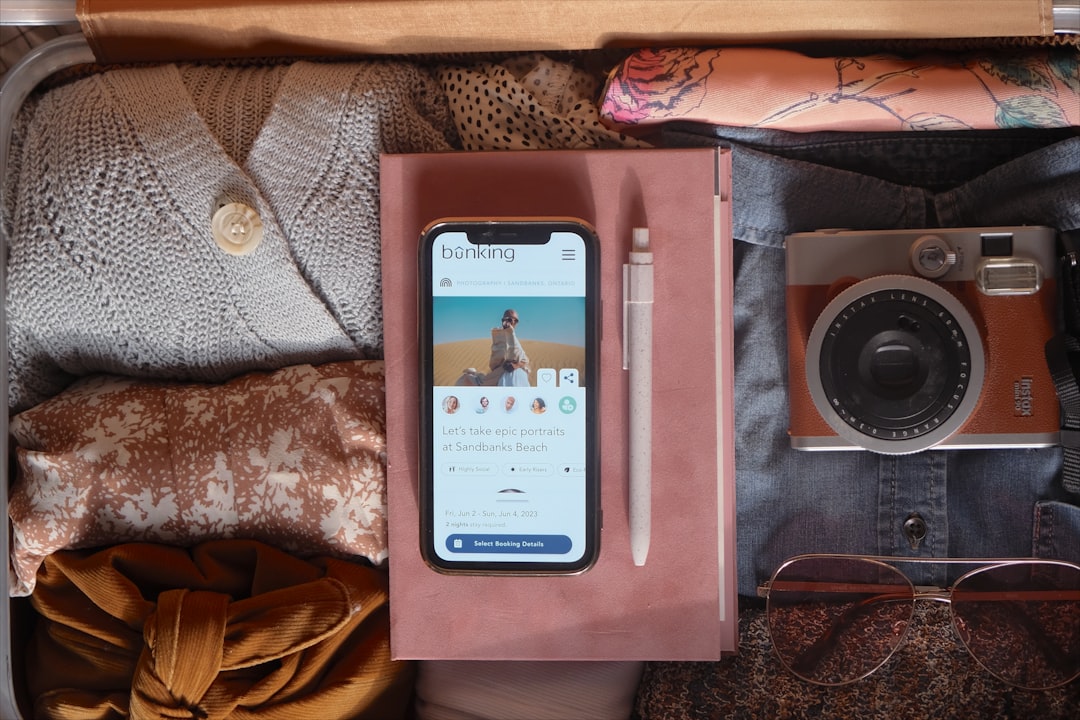
Photo by Paige Cody on Unsplash
Once you have the categories clear, your phone setup becomes much less intimidating. You are not trying to become a productivity machine on vacation. You are building a compact operating system for movement. The best travel planning apps feel calm because each one has a job.
Use this table as a simple baseline before you leave:
| Need | App category | Good default | Typical cost | Offline help |
|---|---|---|---|---|
| Navigation | Maps | Google Maps | Free | Yes |
| Language | Translation apps for travelers | Google Translate | Free | Yes |
| Flight changes | Official airline app | Carrier specific | Free | Limited |
| Rail updates | Official rail app | Country specific | Free | Limited |
| Route planning | Multi-transport planner | Rome2Rio | Free | No |
| Money | Travel budget apps | Wise | Free to install | Some features |
| Itinerary | Trip organizer | TravelDeck | Varies by plan | Depends on setup |
| Data | eSIM for international travel | Airalo | Paid by plan | No |
| Communication | Messaging | Free | Limited | |
| Urban transport | Transit app | Citymapper or local app | Free | Some features |
| Conditions | Weather | Weather app of choice | Free or paid | Limited |
If you build only one digital ritual before departure, let it be this: install, sign in, test, and save everything while you are still at home. The airport is a terrible place to discover a forgotten password.
How to get there
For an article about apps, this is the most important practical truth: your first transport choice after landing is where a good digital setup proves itself. The arrivals hall has its own atmosphere everywhere in the world. There is the perfume of duty-free trailing into the sharper smell of coffee, the clatter of trolley wheels, the bright boards of airport trains, the low murmur of family reunions near the barriers. It is also where people overpay, get confused, or burn precious time because they are trying to solve connectivity and transport at the same moment.
The strongest travel apps for every trip remove that scramble. You should know before boarding which airport train, bus, or taxi system you will use, what it costs, how long it takes, and which app verifies the route. This matters even more after a long-haul flight, when tiny decisions feel strangely difficult.
Here are four common arrival examples where the right mix of maps, transit tools, and an eSIM for international travel can save money fast:
- London Heathrow, LHR, to central London: The Heathrow Express takes about 15 minutes to Paddington and is usually the fastest premium option, often around £25 or more depending on timing. The Elizabeth line is slower at roughly 35 to 45 minutes but usually far cheaper, often around £13. Check route details with Heathrow, TfL Go, and Google Maps.
- New York JFK to Manhattan: AirTrain plus LIRR is often the faster balance of time and cost, usually around 35 to 45 minutes depending on destination, with total cost commonly in the low-to-mid teens in US dollars. AirTrain plus subway is cheaper but slower, often 60 to 75 minutes. Verify real-time details with JFK Airport and the MTA.
- Tokyo Haneda, HND, to Shinjuku or Tokyo Station: Keikyu and Tokyo Monorail connections can get you into the city in roughly 35 to 50 minutes, often for around ¥500 to ¥900 depending on your route. Use Google Maps plus airport and rail information from Haneda Airport to avoid expensive taxis unless you are arriving very late with heavy luggage.
- Bangkok Suvarnabhumi, BKK, to central Bangkok: The Airport Rail Link to Phaya Thai takes about 26 minutes and costs 45 THB, making it one of the better-value airport transfers in a major city. If you arrive late and use a car instead, fares can jump depending on traffic, tolls, and demand. Confirm official information at AOT and use your ride-hail app carefully.
The point is not memorizing every route on earth. It is knowing that arrival transport works best when your map app, transit app, and connectivity plan are ready before the plane leaves the gate.
Things to do
The joy of travel is rarely just in getting somewhere. It is in what happens once the place begins to open. The first sip of cold mineral water after a hot uphill walk in Lisbon. The steam rising from a bowl of ramen at a Tokyo counter. The echo of footsteps in a museum corridor before the crowd thickens. The bells, scooters, market calls, gulls, rain on stone, the late-afternoon glow on apartment shutters. Good travel apps do not replace these sensations; they clear the friction around them so you reach them faster and with less stress.
This is where travel apps for every trip become less like utilities and more like quiet backstage crew. You stop thinking about them and start using them to make better choices hour by hour: which neighborhood to wander first, whether to book timed entry now or later, whether the last ferry still runs, where to find a laundromat before dinner, which metro exit saves ten minutes and a steep staircase.
Here are practical things your app stack should help you do on almost any journey:
- Save an arrival micro-map: Pin your hotel, nearest station, late-night food option, ATM, and pharmacy before you fly. This is the fastest way to make a new neighborhood feel less anonymous.
- Read menus and ingredient lists confidently: Good translation apps for travelers are not just about curiosity. They help with allergies, dietary restrictions, and avoiding accidental mystery dishes when you are exhausted.
- Book timed entry before queues swell: Many museums, observation decks, and popular landmarks now reward planning. Keep confirmations in your itinerary app instead of hunting through email.
- Track the last useful train or ferry: City charm fades quickly when you realize the scenic route back no longer runs. Transit apps and route planners help you enjoy the sunset without paying taxi rates afterward.
- Split costs cleanly on group trips: Travel budget apps are especially useful when one person keeps paying for cabs, snacks, or tickets on the go. Fixing this daily is easier than untangling it on the final night.
- Navigate neighborhoods on foot with intention: Offline maps for travel make wandering feel playful instead of reckless, especially in medinas, hillside towns, or districts with weak signal.
- Communicate pick-up details without panic: Messaging tools matter for airport transfers, apartment entries, day tours, and restaurant changes.
- Adjust the day around weather and energy: A weather app can turn a washed-out viewpoint day into the perfect market-and-museum day instead.
If you want your trip to feel loose but not messy, this is the sweet spot. Keep the plan light, but let your phone hold the details you should not waste energy remembering.
Where to stay
Beds are not just beds on the road. A room is a transit strategy, a sleep strategy, and often a budget strategy disguised as an address. Stay too far out and you spend your mornings underground and your evenings watching taxi prices surge. Stay in the noisiest nightlife strip and your 5 a.m. airport departure becomes cruel. This is why accommodation belongs in any serious conversation about travel apps for every trip.
The best place to stay is rarely the cheapest listing in the search results. It is the one that fits how you move. In Tokyo, that may mean near a JR or metro interchange rather than a famous district name. In Lisbon, a room on a charming hill with a tram stop nearby can be magical, but dragging luggage up stone lanes in summer heat is less so. In New York, being one subway line from the center can be a bargain; being one awkward transfer away can feel expensive every single day.
Use booking apps and loyalty tools with geography first, aesthetics second. Here is a practical breakdown:
| Budget tier | Good app choices | What to look for | Typical nightly range |
|---|---|---|---|
| Budget | Hostelworld, Booking.com, Agoda | Walkability, locker size, curtain dorms, late check-in, transport access | Dorm bed about $12 to $35, private room about $45 to $90 |
| Mid-range | Booking.com, Hotels.com, Expedia | Reviews for noise, air-conditioning, breakfast quality, transit connections | About $100 to $220 |
| Luxury | Marriott Bonvoy, Hyatt, Tablet Hotels | Concierge quality, airport transfer clarity, room soundproofing, location | About $250 to $700 and up |
A few location rules help almost everywhere:
- In major rail cities, stay one easy walk from a useful station, not simply a famous square.
- Near airports only makes sense for true overnight connections, not for sightseeing bases.
- Read the one-star reviews for noise, stairs, and bathroom size; they often tell the truth the photos avoid.
- If arrival is late, message the property in advance through WhatsApp or the booking app.
The best travel planning apps can help you choose a room. But only you know whether you want nightlife outside the window or quiet sleep and good coffee three blocks away.
Where to eat
Food is often where travel becomes memory. The char from grilled meat at a night market, the butter-slick smell drifting from a bakery at 7 a.m., the hiss of oil, the metallic clatter of spoons on small plates, the sweet chill of cut fruit in summer heat, the dense perfume of coffee roasting in a street where scooters brush by your knees. The problem is not finding food. The problem is finding food that fits your appetite, budget, location, timing, and comfort level at that exact moment.
This is where maps, translation tools, messaging, and ride-hailing unexpectedly overlap. The strongest travel apps for every trip help you find not just any meal, but the right meal for the neighborhood you are in and the energy you have left. Sometimes that means a famous counter with a queue. Sometimes it means a bakery by your station because you have exactly 11 minutes before a train.
A few concrete city examples show how digital tools make food decisions easier without flattening the local experience:
- Tokyo: Use Google Maps and, where helpful, local review platforms to narrow ramen, sushi, and izakaya options by district. In Shinjuku and around Omoide Yokocho, quick bowls of ramen often land around ¥900 to ¥1,500. Camera translation is invaluable for vending-machine ticket menus and handwritten specials.
- Mexico City: In Roma, Condesa, and around Mercado de Coyoacán, maps and messaging apps help you filter taquerias, bakeries, and coffee spots by current crowd level and walking distance. Street tacos can still cost roughly 25 to 40 MXN each, but card acceptance varies, so keep a cash plan.
- Lisbon: Around Cais do Sodre, Baixa, and Alfama, use saved pins for tascas, pastry shops, and seafood places so you are not choosing blindly when hunger hits. A pastel de nata may cost around €1.20 to €2, while grilled fish and bacalhau mains vary widely by neighborhood and view.
- Istanbul: In Kadikoy and Beyoglu, maps plus translation can help you decode lokanta trays, pide shops, and meze spots. Prices shift fast with inflation, so checking current reviews matters more than relying on old blogs.
- Singapore: Hawker centers like Maxwell Food Centre and Lau Pa Sat are easier to navigate if you save stall names in advance and use maps to time off-peak visits. Many satisfying meals still sit in the S$5 to S$10 range.
For food-first travelers, the real trick is to combine digital research with local instinct. Use the app to get close. Then look up, smell the air, watch the table turnover, and notice who is eating there. And for safer ordering, allergy handling, and common-sense hygiene judgment, keep How to Eat Safely Abroad in 2026 Without Missing Local Food in your back pocket.
Practical tips
A great digital setup does not begin in the taxi queue. It begins in the quiet of home, with full battery, stable Wi-Fi, and enough time to remember your passwords. If that sounds obvious, think about how many people still try to install an airline app while boarding, buy an eSIM for international travel after landing, or search for offline maps for travel only once they have lost signal. Smooth trips are rarely accidents.
Good preparation also means thinking about the physical reality around the apps. Cold weather drains batteries faster than most travelers expect. Heat can do the same when maps, camera, and brightness are all working at once. Sudden rain makes touchscreens slippery and ports vulnerable. A crowded metro carriage in summer can turn pocket access into a theft risk. Digital planning is still real-world planning; it just lives in your hand.
If you are the kind of traveler who likes systems, build a tiny countdown for yourself:
| Timing | What to do |
|---|---|
| 7 days before | Update apps, download offline maps for travel, test payment tools, check passport scans, confirm eSIM compatibility |
| 48 hours before | Add bookings to your itinerary, complete check-in where available, save hotel address, pin transport hubs |
| Day of flight | Charge power bank, screenshot boarding passes, enable international card notifications, message late-arrival accommodation if needed |
| After landing | Activate data if needed, confirm route to city, withdraw a small cash amount, verify hotel check-in details |
A few more practical habits are worth keeping:
- Carry a power bank that actually matches your day: For heavy map use, photography, and data roaming, 10,000 mAh is a sensible baseline for most city trips.
- Use app lock and two-factor authentication wisely: Banking and travel budget apps deserve extra security, but have a backup method in case your main number is inaccessible.
- Keep one offline note: Include passport number, insurance contact, accommodation address, and one emergency number in plain text on your phone.
- Avoid public Wi-Fi for sensitive banking unless necessary: If you must use it, limit the session and avoid unnecessary logins.
- Prepare for customs and local norms: Some destinations lean hard on cash, some on messaging, some on local ride-hailing apps rather than global ones.
- Think about luggage and access together: If you are traveling lighter, it becomes easier to keep your phone, battery, passport, and card ready where you can reach them.
The right travel apps for every trip work best when your habits around them are equally practical. A clever download cannot rescue a dead battery, a forgotten password, or a boarding pass trapped behind a weak signal.
FAQ
Travelers usually ask the same handful of questions before they build a phone setup, and the answers are more practical than technical. Here are the ones that matter most.
What are the most essential travel apps for every trip?
If you strip everything back, start with a map app, one of the strongest translation apps for travelers, your airline app, a money tool like Wise, an eSIM for international travel, a messaging app, and an itinerary organizer. Those cover movement, communication, payment, and problem-solving.
Should I download travel apps before I fly?
Yes, always. Install, sign in, and test everything at home. The best travel planning apps are only useful if you can access them without hunting for passwords in an airport with weak Wi-Fi and too many distractions.
Which app is best for offline maps for travel?
Google Maps is still the easiest default for most travelers because downloading areas is simple and the interface is familiar. In more remote destinations, some people like specialist mapping tools too, but for cities and standard routes, it remains the easiest place to start.
Do I really need an eSIM for international travel?
Not for every trip, but for most international journeys it is one of the easiest ways to make arrival smoother. If you depend on maps, banking alerts, messaging, and ride-hailing, an eSIM for international travel is often worth the small upfront cost.
Are travel budget apps and payment apps safe to use abroad?
They can be, if you set them up properly. Use strong passwords, biometric login where available, app lock on your phone, and a second payment method stored separately. Never rely on a single card, account, or device.
What if I do not want a phone-centered trip?
That is a healthy instinct. The goal is not to stare at a screen all day. The goal is to make the screen useful enough that you can put it away faster. The best travel apps for every trip create more room for wandering, not less.
The longer I travel, the less interested I am in app maximalism. I do not want ten different platforms solving the same problem. I want a short list that works in rain, on airport floors, in noisy stations, in midnight arrivals, and in the dreamy middle of a good day when the city finally starts to feel familiar. Build that kind of phone setup once, and every future trip gets easier.
The ideal travel apps for every trip are not the ones that make you feel hyper-organized. They are the ones that quietly remove friction so the trip itself can come forward: the smell of bread from a bakery you nearly missed, the sound of a tram rounding a corner, the view from the bridge you reached just before sunset, and the deep, unmistakable relief of knowing exactly how to get home afterward.