
Travel Apps for Every Trip in 2026: The 7-Icon Rule
A surprising number of travel headaches begin with a full battery and the wrong phone setup. Most people do not need twenty downloads, three overlapping map tools, and a dozen booking apps sending panic-inducing alerts at 2 a.m. They need a tight, thoughtful system. That is why my favorite approach to travel apps for every trip is simple: keep seven core icons on your first screen, and let every other tool earn its place.
This matters more than ever in 2026, when a phone can replace a paper map, phrasebook, boarding pass sleeve, wallet backup, and even the sticky note where you used to write your hotel address. But the smartest travelers are not the ones with the most downloads. They are the ones who can step off a red-eye into the fluorescent blur of arrivals, hear the hiss of train doors closing, smell espresso and jet fuel in the terminal, and still find the fastest route into town in under two minutes.
When I sketch routes inside TravelDeck, I still rely on a small personal stack of travel apps for every trip: one app to move, one to organize, one to pay, one to communicate, one to stay safe, and one or two local specialists. That lean setup keeps my phone useful instead of noisy.
If you have ever stood on a rainy platform in Milan, under the humming digital board at Tokyo Station, or outside JFK with your luggage wheels rattling over cracked pavement while surge pricing jumps by the second, this guide is for you. Below, I will show you the seven-icon system, the best app category for each travel moment, and the real-world setup that saves time, money, battery, and sanity.
Why a lean phone beats a crowded one

Photo by Javier Cañada on Unsplash
The fantasy version of travel is smooth and cinematic. You drift from airport to train to old town square, your hotel check-in is effortless, your dinner reservation is on time, and every photo is touched by golden light. The real version is noisier. Airport Wi-Fi cuts out. A rail platform changes at the last second. Your bank flags a card payment. The street sign is unreadable. In that moment, too many apps create friction, not freedom.
A cluttered phone behaves like an overstuffed carry-on. You can technically bring everything, but you lose the one thing you actually need. I see this all the time: travelers jumping between five flight comparison tools, three navigation apps, two translators, and an inbox full of booking confirmations. The result is decision fatigue before the trip even begins.
The better approach is to build travel apps for every trip around problems, not brands. Ask one question for each category: which app solves this specific task fastest when I am tired, rushed, offline, or low on battery? Once you answer that, your phone becomes lighter in the same way a well-packed bag feels lighter: less clutter, less rummaging, more confidence.
| Travel problem | Core app type | Backup app type | Why it matters |
|---|---|---|---|
| Getting around a city | Navigation app with offline maps | Hyperlocal transit app | Prevents expensive taxi decisions made in stress |
| Keeping bookings organized | Itinerary manager | Airline or rail app | Cuts inbox chaos and missed details |
| Paying abroad | Travel money app | Currency converter | Reduces fees and awkward exchange guesses |
| Understanding signs and menus | Translation app for travel | Basic phrase app | Keeps small confusion from turning into big delays |
| Handling delays and gate changes | Flight tracker app | Airline app | Useful when terminals get chaotic |
| Finding food or rides fast | Local discovery app | Ride-hailing app | Helps you act instead of search |
| Staying connected and secure | eSIM or connectivity app | VPN or cloud backup | Protects data and keeps maps working |
The seven-icon rule is not minimalist for the sake of it. It is practical. It gives your thumb muscle memory. Your first screen should feel like a cockpit, not a junk drawer.
Navigation apps and offline maps for real-world travel days
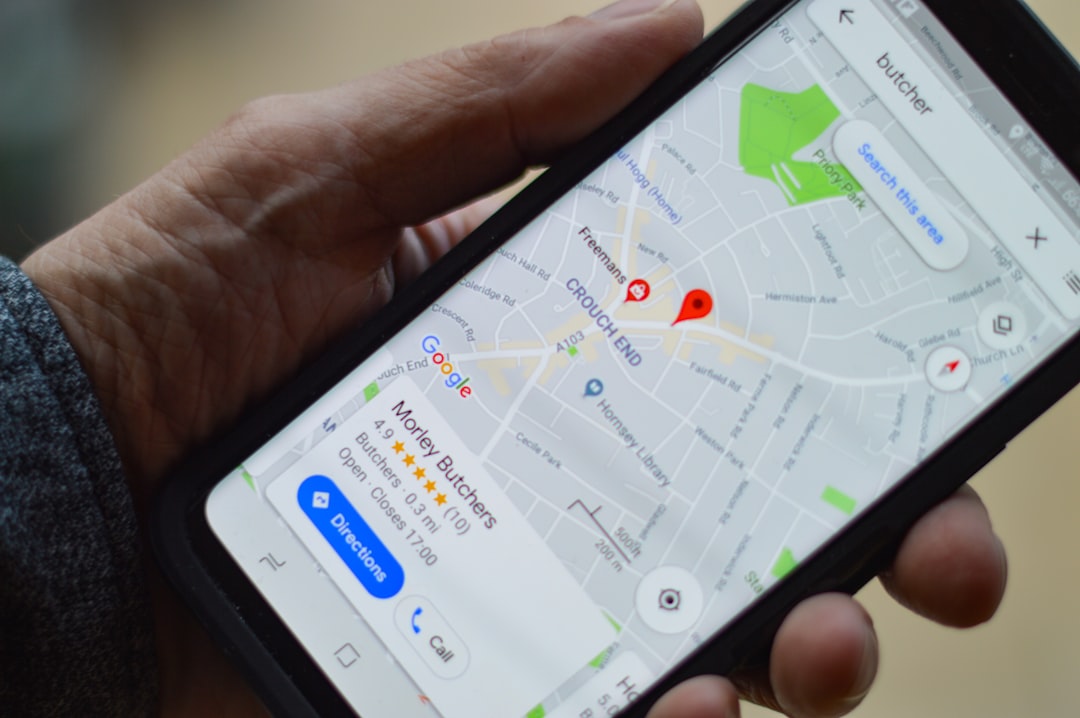
Photo by henry perks on Unsplash
The first app category that earns its place is navigation. Not because it is glamorous, but because getting lost while hungry, jet-lagged, or carrying a backpack that suddenly feels twice as heavy can sour a day fast. Good navigation is not just about finding the museum. It is about reading the city. You hear tram bells in Lisbon, smell diesel and pastry drifting out of a station concourse in Paris, and suddenly the distance between two dots on a screen is also stairs, cobblestones, weather, and crowd flow.
That is why the best travel apps for every trip always include one main map tool and one specialist transit tool. For most travelers, Google Maps is still the universal anchor because it covers walking, driving, saved places, and reliable offline maps. But in dense transit cities, a dedicated layer like Citymapper or Rome2Rio often saves more time than a fancy airport lounge ever will.
Offline maps deserve special respect. They are the quiet hero of smooth travel days. Download the area before you leave home, star your hotel, the nearest station, the airport terminal, and one emergency clinic. Do it while you still have strong Wi-Fi and a clear head. You do not want your first attempt at setting up offline maps to happen on a curb in the rain with 6 percent battery.
Here is the navigation setup I trust most:
- Use Google Maps as your default city guide for walking, saved lists, and offline maps.
- Add Citymapper for major transit-heavy cities such as London, Paris, Berlin, Madrid, and New York.
- Keep Rome2Rio for the moments between cities, when you need to compare train, bus, ferry, and flight options quickly.
- In Japan, add a local rail planner such as NAVITIME when station complexity gets intense.
- In South Korea, use Naver Map or KakaoMap because global map coverage can be weaker.
- In China, plan ahead with local tools such as Amap or Baidu Maps, because your usual setup may not work as expected.
A few small habits make offline maps far more useful:
- Save names in a way your tired brain understands, such as Hotel front door, Airport train platform, and Late-night pharmacy.
- Screenshot the route from airport to hotel before you land.
- Drop a pin where your accommodation entrance actually is. In many old cities, the street address lands you one block away.
- Download the language pack for your translator at the same time you download offline maps.
The travelers who say they never use offline maps are usually the ones who have not needed them yet. Then a tunnel, border crossing, basement station, rural road, or surprise roaming issue arrives, and suddenly that quiet prep work becomes the best part of the day.
Travel planning apps that keep bookings in one place
Photo by appshunter.io on Unsplash
There is a particular kind of travel stress that only appears when your booking details are scattered. Your hotel confirmation is in one email folder. The rail ticket is a PDF buried under a newsletter. Your seat assignment lives inside an airline app you forgot to log into. Meanwhile, the boarding gate has changed, the check-in deadline is ticking, and the station announcement is echoing into the metal ceiling.
That is where travel planning apps earn their keep. They are less flashy than maps, but they remove an enormous amount of mental drag. When travel apps for every trip work well, they give you a single place to check times, addresses, reservation codes, and attachments. Instead of hunting for information, you act.
For most people, the ideal setup is one itinerary manager plus the official app of the airline, rail operator, or hotel brand you are actually using. TripIt remains a strong choice because it pulls scattered reservations into one timeline. Official airline apps matter because they push gate changes, rebooking options, and bag updates faster than third-party tools. For trains, the national rail app often beats global platforms on platform data and disruption alerts.
A strong planning stack looks like this:
- Use TripIt or a similar organizer to keep flights, hotels, car rentals, tours, and PDFs together.
- Install the official airline app for each carrier you are flying. This is often the fastest way to see gate moves, boarding order, and same-day changes.
- Install the official rail app if you are taking trains in Europe or Japan. Examples include DB Navigator, SNCF Connect, and Renfe.
- Save a screenshot of every boarding pass, rail QR code, and hotel address into a photo album called Trip Docs.
- Sync your itinerary with your calendar so train times appear next to restaurant bookings and museum entries.
The underrated benefit of travel planning apps is not convenience. It is margin. Margin to think, margin to pivot, margin to enjoy the walk between places. When your logistics are visible, you can spend more attention on the warm smell of bread outside a neighborhood bakery, the gold light on station tiles, or the quiet of a ferry deck at dusk.
If you are also trying to make long travel days feel less punishing, pair this setup with the routines in Long Haul Flight Comfort Tips for 2026: Feel Better on Arrival. The best itinerary is the one your body can actually enjoy.
Travel money apps and translation tools that remove daily friction
Nothing reveals the gap between planning and reality faster than money and language. A coffee shop card reader prompts you to choose a currency you do not recognize. A pharmacist asks a follow-up question you did not expect. A taxi driver explains that the bridge is closed, so the route will change. Suddenly the trip is no longer theoretical. It is happening in the currency, rhythm, and language of someone else’s ordinary day.
That is why travel apps for every trip should always include one travel money app and one translation app for travel. These are the tools that turn a chain of awkward little pauses into a smooth day. They save money, yes, but they also save face. There is a real difference between fumbling nervously over exchange math and paying calmly with the right card while understanding what the other person is telling you.
For money, travelers usually do best with a dedicated multi-currency product such as Wise or Revolut, plus a fast converter like XE Currency. A strong travel money app lets you hold or convert currency at transparent rates, see spending instantly, freeze a card if needed, and reduce the silent bleed of bad exchange fees.
For language, Google Translate remains the broadest all-rounder because it handles camera translation, typing, speech, and downloaded packs. In some situations, DeepL feels more natural for longer text. A phrase-learning app like Duolingo is helpful before departure, but on the road, a translation app for travel has to be immediate, visual, and forgiving.
Use your money and language stack like this:
- Open a travel money app before departure and create virtual cards for online bookings.
- Turn on instant spending notifications so you spot duplicate charges or card fraud quickly.
- Keep a small converter like XE Currency for market stalls, taxis, tips, and quick sanity checks.
- Download your translation app for travel in the languages you need before takeoff.
- Use camera mode for menus, ingredients, station signs, and pharmacy labels.
- Save essential phrases in a note, including allergy details, medication names, and your accommodation address.
A good translation app for travel helps most when the moment is small. The waiter is busy. The line behind you is growing. You just want to order, thank someone properly, or understand whether the museum is closed on Tuesday. If you use it with warmth instead of defensiveness, it becomes less of a digital crutch and more of a bridge.
This matters beyond convenience. Travelers who make an effort with language tend to move through places differently. Conversations soften. Recommendations get better. The distance between visitor and local narrows a little. If you want to pair practical tools with better cultural awareness, Unspoken Travel Rules Abroad in 2026: Be a Better Guest is worth reading alongside your app setup.
A few quick money rules matter too:
- Pay in local currency when using your card abroad unless you know the offered conversion rate is better.
- Carry some backup cash even if your travel money app works perfectly.
- Do not keep your only payment method in one phone case pocket.
- Store one backup card separately from your main wallet.
The best travel money app is not the one with the most features. It is the one you understand clearly enough to trust at a train machine, a bakery counter, and a late-night hotel check-in desk.
Safety, connectivity, and the best flight tracker app backups
There is a smell to stress in transit: overheated chargers, terminal food, recycled air, wet coats, stale coffee. It builds quickly when screens go blank or plans change. That is why the most overlooked travel apps for every trip are the quiet safety and connectivity tools running in the background. They are not exciting, but they are often the difference between a minor hiccup and a full spiral.
First, connectivity. If you land without data, your entire elegant phone setup weakens at once. An eSIM solution such as Airalo or Nomad can be far easier than hunting down a physical SIM after a long flight. Even if you prefer buying a local SIM on arrival, price-check before you go so you recognize a fair offer at the airport.
Second, flight awareness. The airline app should be your primary source on travel day, but a separate flight tracker app can still help when delays ripple through the network or you need to monitor an incoming aircraft. FlightRadar24 is the flight tracker app many frequent travelers keep in reserve because it gives a broader picture of where the plane actually is and whether weather or airspace issues are affecting your route.
Third, security. Public Wi-Fi at airports, cafés, and train stations is convenient, but convenience is not the same as safety. A reputable VPN, cloud backup for passports and tickets, and two-factor authentication on your key accounts are basic travel hygiene now.
Keep these utility tools ready:
- One eSIM app such as Airalo or Nomad for immediate data on arrival.
- One flight tracker app such as FlightRadar24 for aircraft status and delay context.
- A password manager such as 1Password or Bitwarden to avoid weak, repeated logins.
- Cloud storage like Google Drive or Dropbox for passport copies, visas, insurance, and reservation PDFs.
- A VPN from a reputable provider when using public Wi-Fi.
A practical safety setup also includes habits, not just downloads:
- Share your live itinerary with one trusted person.
- Save local emergency numbers and your embassy or consulate address.
- Turn on phone tracking before departure.
- Keep one low-tech paper note with your hotel address and emergency contacts in case your battery dies.
No app replaces judgment. If a street, car, or situation feels wrong, leave. But good tools reduce the number of bad situations you blunder into. They make you calmer, which often makes you safer.
How to get there
Arrival is where theory meets fluorescent reality. Your shoulders are stiff, your bag suddenly weighs more, and the first decision feels bigger than it should: train, bus, taxi, rideshare, or airport hotel? This is the moment when travel apps for every trip prove they are more than nice-to-have downloads. They answer the question you care about most when you land: what is the fastest, cheapest, least confusing way into the city right now?
Every major gateway has its own rhythm. At Heathrow, the trains feel orderly and obvious once you know the names. At JFK, signage improves every year, but the city still rewards people who understand the difference between the AirTrain and the subway before they arrive. At Narita, the trains are precise but the station can feel vast after a sleepless flight. In Singapore, the arrival experience is so smooth that the risk is not confusion but complacency.
Use one global map app, then add one local or official transport app if the city is transit-heavy. Below are a few examples where a smart setup saves real time and money.
| Arrival route | Main transport | Typical duration | Typical cost | Best app combo |
|---|---|---|---|---|
| JFK to Midtown Manhattan | AirTrain + subway or LIRR | 45 to 75 min | about USD 11.40 to 18 | Google Maps + MTA TrainTime |
| LHR to Central London | Elizabeth line or Heathrow Express | 15 to 45 min | about GBP 12.80 to 25 | Citymapper + TfL Go |
| CDG to Châtelet-Les Halles | RER B | 35 to 45 min | about EUR 11.80 | Google Maps + Bonjour RATP |
| NRT to Ueno or Nippori | Keisei Skyliner | about 41 min | JPY 2580 | Google Maps + Keisei Skyliner |
| SIN to City Hall | MRT | 30 to 35 min | about SGD 2 to 3 | Google Maps + MyTransport.SG |
| FCO to Roma Termini | Leonardo Express | about 32 min | EUR 14 | Google Maps + Trenitalia |
A few arrival rules keep the process smooth:
- Download offline maps for the airport area and city center before departure.
- Screenshot the exact train line, transfer station, and final walking route to your hotel.
- Know the rideshare pickup zone before you exit customs.
- Check whether the airport train stops near your hotel or leaves you with a long staircase-heavy walk.
- If you arrive after midnight, compare the last train time against a fixed-fare taxi or airport bus.
This is also where a flight tracker app can help. If your incoming plane is delayed, you can check whether you will still make the last rail departure without waiting in a customer-service line. That kind of small information can save a surprising amount of money.
Things to do
Once you have arrived, the value of travel apps for every trip shifts from pure logistics to quality of experience. A great app stack does not just move you through a city. It gives you time back for the moments you actually remember: warm stone under afternoon sun, the sound of a market waking up, the cold fizz of mineral water after a hill climb, the glow of neon reflected in wet pavement after dinner.
In practice, the best setup helps you do ordinary things better. It gets you to the right entrance instead of the wrong side of a landmark. It helps you buy the correct transit ticket instead of an expensive mistake. It lets you translate the one ingredient you need to avoid. It tells you whether the museum is closed on Mondays before you cross town for nothing.
Here are seven specific ways your app stack earns its place after arrival:
- Reach viewpoints without wasting your best light. In Barcelona, use navigation and transit apps to time the climb or bus to Bunkers del Carmel before sunset. The city turns copper and pink, and arriving ten minutes early matters.
- Book timed entry while you are already nearby. In Paris, a planning app plus the official museum ticket page can rescue a spontaneous Louvre or Musée d Orsay afternoon.
- Translate menus with confidence. At Tsukiji Outer Market in Tokyo, camera translation helps you decode grilled scallops, tamagoyaki, and seasonal specials without slowing the line.
- Track a live route through old neighborhoods. In Lisbon, save offline maps before wandering Alfama, where lanes bend, steps appear suddenly, and phone signal can bounce between stone walls.
- Compare public transport against rideshare in real time. In London after theater, Citymapper often shows that the Tube plus a short walk beats a costly car stuck in traffic.
- Find rain-proof alternatives quickly. In Rome, a weather app plus maps can turn a washed-out outdoor plan into a last-minute church, market, or café route around Campo de Fiori.
- Split costs cleanly with friends. A travel money app keeps shared taxi rides, train snacks, and museum bookings from becoming end-of-trip math drama.
The point is not to spend your trip staring at a screen. It is to use a screen for thirty seconds so you can spend the next three hours looking up instead of down.
Where to stay
Accommodation apps are where many travelers accidentally create clutter. They download every platform, sign into nothing, save no filters, and then try to compare neighborhoods while sleepy and rushed. The better move is to choose two booking tools that fit your style, then keep your favorites and payment details ready.
When travel apps for every trip include lodging tools, I recommend one broad inventory platform and one specialist. The broad platform gives you coverage and comparison. The specialist reflects how you actually travel: social hostels, apartment stays, or chain-hotel loyalty perks.
Here is a practical setup by budget tier:
| Budget tier | Best app choices | Typical nightly range | Best for |
|---|---|---|---|
| Budget | Hostelworld, Booking.com, Airbnb private room | USD 18 to 90 | Solo travelers, short stays, social trips |
| Mid-range | Booking.com, Airbnb entire place, Agoda in Asia | USD 90 to 220 | Couples, city breaks, flexible cancellation |
| Luxury | Marriott Bonvoy, Hilton Honors, Hyatt | USD 220 to 700+ | Status perks, late checkout, direct support |
Suggested combinations by traveler type:
- Budget: Hostelworld for dorm culture, Booking.com for simple guesthouses, Airbnb private rooms when hotel prices spike.
- Mid-range: Booking.com for map view and cancellation filters, Airbnb for apartment space, Agoda for strong inventory in Southeast Asia.
- Luxury: One hotel-chain app for upgrades and support, plus Booking.com as a comparison check before you book direct.
Where you stay still matters more than thread count. A modest room near the train station or old town edge can improve a trip more than a fancy hotel that requires thirty euros of taxis a day. Let the app help you choose location first, then comfort.
Where to eat
Finding good food is one of the easiest places to overuse your phone. Twenty minutes disappear into reviews, reels, maps, and menus while the city itself hums around you. The scent of garlic and butter drifts from a side street, glasses clink inside a busy bistro, and you are still reading comments from strangers posted six months ago.
The right food setup is simple. Use one mapping app for hours and routing, one reservation app where relevant, and one translation app for menus. In many cities, Google Maps plus OpenTable or TheFork is enough. In Japan, local review culture often favors tools like Tabelog. In Italy and Spain, old-fashioned walk-ins still matter, but a saved map list can be gold at 8:30 p.m. when every hungry traveler is circling the same plaza.
A few food examples where apps genuinely help:
- Lisbon: Use saved lists for Cervejaria Ramiro in Intendente for shellfish, Time Out Market in Cais do Sodré for variety, and a pastel de nata stop in Belém. Offline maps matter in the hilly lanes nearby.
- Tokyo: Camera translation is invaluable at small ramen counters in Shinjuku or at stalls in Tsukiji Outer Market, where menu nuance matters.
- London: Use reservation apps for Borough Market-adjacent dining or Soho before peak evening hours.
- Bangkok: Save Or Tor Kor Market and a few nearby restaurants before you go, then use maps and translation to navigate regional dishes confidently.
- Mexico City: In neighborhoods like Roma Norte and Coyoacán, maps help you compare walking routes, opening times, and last-minute reservations.
If you love eating on the move but want to reduce risk, pair your app strategy with Street Food Safety Abroad in 2026: Eat Like a Local or the more health-first checklist in Avoid Food Poisoning Abroad in 2026: A Smart Food Plan. A translation app for travel is especially useful when ingredients, allergies, or cooking methods matter.
Good food apps should help you get off your phone faster. Save places in advance, then let appetite and atmosphere do the rest.
Practical tips
The best travel apps for every trip work only when they are set up before the trip becomes hectic. Think of app prep the way you think of packing toiletries: boring until it is suddenly essential. Five calm minutes at home can save forty frantic ones on the road.
Start with connectivity. Heat drains batteries, cold drains them faster, and weak signal drains them fastest of all. A phone searching constantly for service on a mountain train or rural highway can fade by early afternoon. If you are traveling in summer, expect heat to hit performance. If you are traveling in winter, keep your phone inside a coat pocket and carry a compact power bank.
Then consider regional behavior. Not every country relies on the same digital habits. WhatsApp is a practical communication layer across much of Europe and Latin America. In Japan, transport precision makes a local rail app especially useful. In South Korea and China, local map ecosystems can matter more than the global ones you use at home. In card-heavy destinations, a travel money app may be your main payment tool; in more cash-reliant places, it becomes your exchange-rate reference and card backup instead.
Use this pre-departure checklist:
- Update your operating system and every core app a day or two before departure, not while boarding.
- Download offline maps for your arrival city, plus one backup area.
- Download your translation app for travel and test camera mode at home.
- Add your first hotel, airport, station, and embassy or consulate to saved places.
- Set up your travel money app, virtual card, and transaction alerts.
- Test your eSIM or confirm your phone is unlocked for one.
- Save digital and offline copies of passport, visa, insurance, and emergency contacts.
- Turn off nonessential notifications so your useful apps are not buried in noise.
A few seasonal notes help too:
| Travel season | What changes | App priority |
|---|---|---|
| Summer peak season | Crowds, heat, sold-out timed entries | Transit apps, reservation apps, battery management |
| Winter holidays | Short daylight, weather delays, closure changes | Flight tracker app, weather, official operator apps |
| Shoulder season | More flexibility, variable hours | Travel planning apps, deal alerts, updated opening times |
| Rural or road-trip periods | Weaker signal, longer distances | Offline maps, downloaded docs, fuel or EV charging tools |
What to pack alongside your app setup:
- A power bank of at least 10000 mAh
- A charging cable that actually fits your fastest adapter
- A plug adapter for your destination
- One tiny notebook and pen
- A spare bank card stored separately
Customs and etiquette matter too. A translation app for travel helps you ask, but tone carries the rest. Lower your voice in quiet train cars. Do not block station entrances while consulting maps. Step aside before checking directions. Tiny behaviors shape how welcome you feel.
Finally, remember that a flight tracker app, offline maps, and a travel money app are all support tools. They help you move with confidence, but they should not dominate the trip. The best phone setup is the one that disappears the moment the real world gets interesting.
FAQ
What are the most useful travel apps for every trip in 2026?
For most people, the essential stack is one navigation app with offline maps, one itinerary organizer, one official airline or rail app, one travel money app, one translation app for travel, one eSIM or connectivity tool, and one flight tracker app for backup. You do not need the biggest list. You need the clearest system.
Do I really need offline maps if I have roaming data?
Yes. Offline maps protect you against tunnels, weak reception, surprise roaming issues, dead spots in rural areas, and battery-saving moments when you switch data off. They are also faster than searching from scratch when you are tired.
Which travel money app is best for international trips?
That depends on your home country and banking setup, but many travelers do well with Wise or Revolut because they offer transparent exchange rates, instant card controls, and multi-currency features. The best travel money app is the one you understand and have tested before departure.
Is a flight tracker app necessary if I already have the airline app?
Not always, but it is helpful. The airline app should be your first source for gate, check-in, and rebooking information. A separate flight tracker app is useful when you want wider context on delays, aircraft arrival, weather disruptions, or a connection you are meeting.
What is the best translation app for travel?
For most travelers, Google Translate is still the broadest, easiest option because it handles typed text, speech, camera translation, and downloaded packs. If you need more natural phrasing for longer text, DeepL can be a good complement. The best translation app for travel is the one you can use quickly under pressure.
A well-built phone does not make travel perfect. Trains still get delayed, storms still reroute flights, and sometimes the restaurant you wanted is simply closed. But the right travel apps for every trip create something just as valuable as certainty: recovery time. They help you pivot fast, keep your day intact, and return your attention to the world outside the screen. That is the point. Not to travel through your phone, but to set it up so well that you can forget about it the moment the street music starts, the market opens, or the evening light hits the station roof just right.